Business Analysis
Student Enquiry Triage — Stakeholders & Use Cases
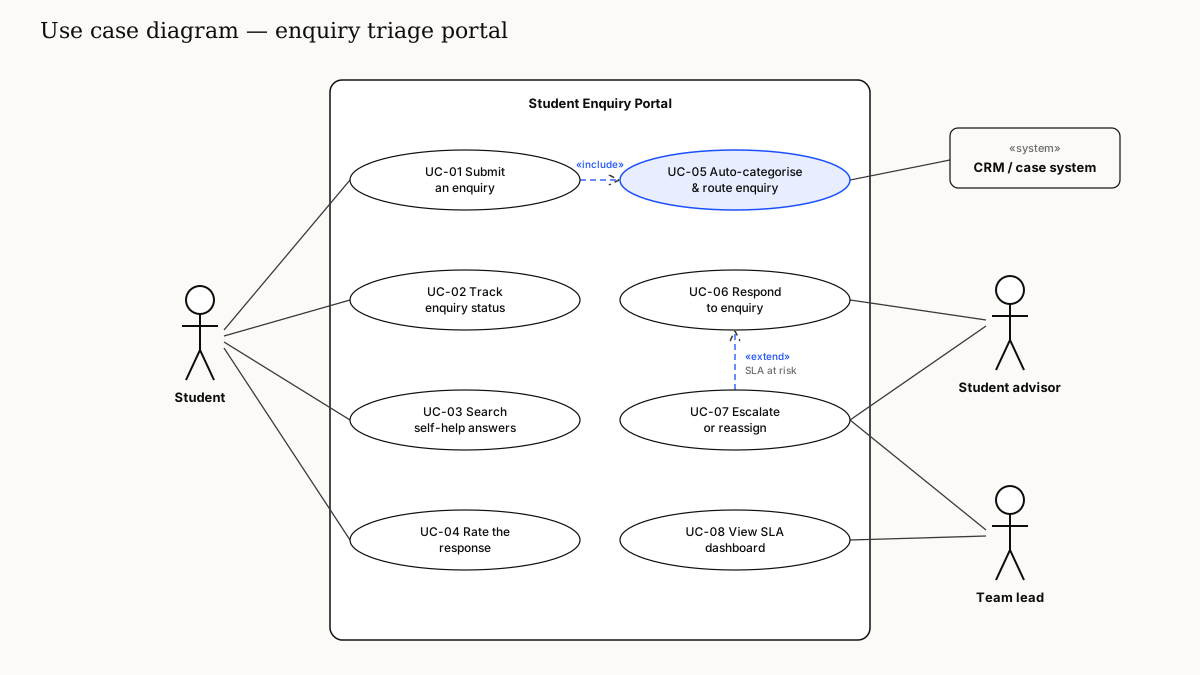
Concept case study: scoping a portal that triages student enquiries to the right team — stakeholder analysis, use cases, and the business rules that decide where each enquiry goes.
Context
A self-initiated practice case study set in a fictional university's student services team. As a current Master of IT student I've seen the student side of this problem first-hand, which made it a useful scenario to practise stakeholder and use case analysis. All people, volumes and systems are illustrative.
In the scenario, students email a shared inbox or call a hotline for everything from enrolment to visas to fees. Enquiries bounce between teams, students ask the same question twice to get an answer, and nobody can see how long anything is taking.
Problem statement
Enquiries are not categorised or routed at intake, so they wait in a shared queue, get forwarded between teams and are answered inconsistently. Students lack visibility of progress, and managers lack the data to staff the busiest periods.
Stakeholder analysis
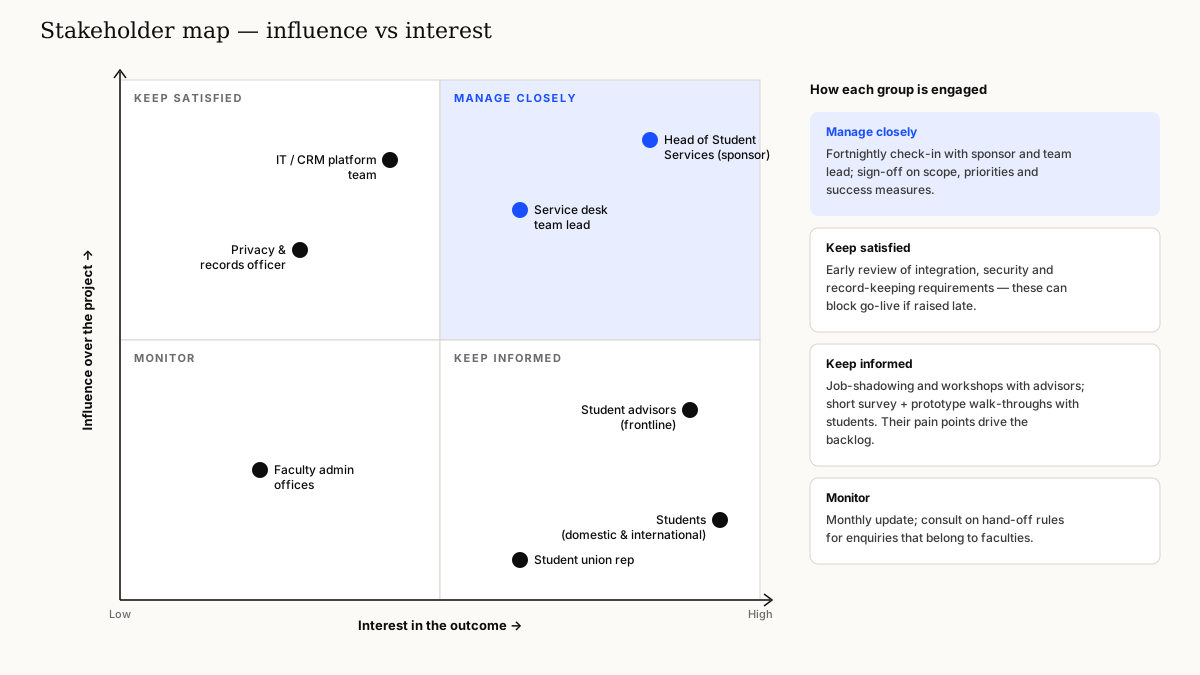
Mapping stakeholders early surfaced two groups that are easy to forget: the privacy and records officer, whose requirements can block go-live, and faculty admin offices, who receive enquiries the central team can't answer.
Use cases
Routing business rules (sample)
- If the category is Visa / CoE and the student is international, route to the International Student Support queue
- If the enquiry mentions fees or payment and the student has an outstanding balance, route to Finance with priority "High"
- If the self-help article was viewed and the student still submits, tag "Self-help gap" for content review
- If no response within 2 business days, flag "SLA at risk" and notify the team lead (UC-07 escalation)
Example user story
As an international student, I want to see the status of my enquiry and who is handling it, so that I don't need to follow up by email.
- Given I have submitted an enquiry, when I open "My enquiries", then I see its status, the team assigned and the date of the last update
- Given my enquiry is reassigned, then I receive a notification and the history shows the change
Deliverables
- Stakeholder register and engagement plan
- Use case diagram and use case descriptions (UC-01 to UC-08)
- Routing decision table and business rules catalogue
- Prioritised product backlog for an MVP
What I learned
The routing rules turned out to be the real product. Writing them as a decision table, then walking through edge cases with frontline advisors, exposed gaps that would otherwise have shown up as misrouted enquiries after launch.